EnglishPortuguês
Assets ↗

Desktop app · Windows · Fully offlineApp desktop · Windows · 100% offline

From video to sprite sheetDo vídeo ao sprite sheet

Sprite Kitchen Studio turns short clips into transparent PNG frames, GIFs and aligned sprite sheets for GameMaker. Pick the clip; it keys out the background, lines the frames up and exports.O Sprite Kitchen Studio transforma vídeos curtos em frames PNG sem fundo, GIFs e sprite sheets alinhadas para o GameMaker. Você escolhe o trecho; ele remove o fundo, alinha os frames e exporta.

Download · WindowsDownload · WindowsSoonEm breveSee how it worksVer como funciona

MP4 · MOV · AVI · WEBM · GIF PNG · _stripN · GRID · GIF

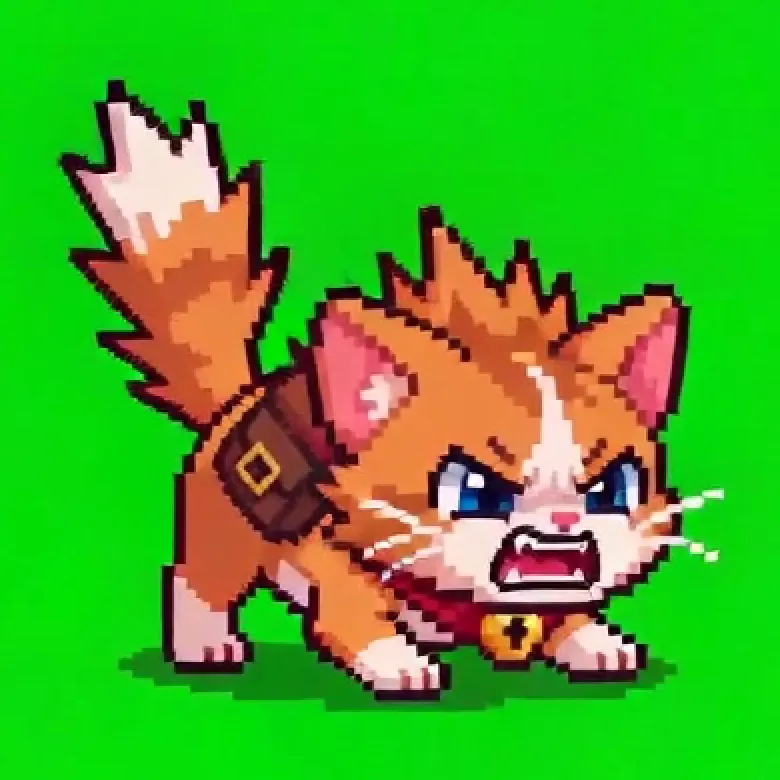
Animated cat sprite with transparent background, exported by the app
Suggested loopLoop sugerido15 frames · 12 fps
Sprite Kitchen Studio — 1 Importar e recortar

Stage select

Four stages, one spriteQuatro fases, um sprite

Each stage is a tab in the app. Want it fast? Gerar arquivos (Generate files) on the first screen runs them all in one go.Cada fase é uma aba do app. Com pressa? O botão Gerar arquivos, na primeira tela, faz tudo de uma vez.

  1. 011-1

    ImportImporte

    Drop in a clip, mark the in and out points and pick an FPS or an exact frame count.Arraste o vídeo, marque início e fim e escolha o FPS ou a quantidade exata de frames.

  2. 021-2

    KeyRecorte

    The chroma key finds the background colour and removes it, the floor shadow and coloured fringes.O chroma key detecta a cor do fundo e remove o fundo, a sombra do chão e as bordas coloridas.

  3. 031-3

    ReviewRevise

    The analysis flags duplicate, blurry or cropped frames and suggests the smoothest loop.A análise marca frames duplicados, borrados ou cortados e sugere o loop mais suave.

  4. 041-4

    ExportExporte

    A _stripN sheet GameMaker splits on its own, PNG frames, a grid or an animated GIF.Sprite sheet _stripN que o GameMaker divide sozinho, frames PNG, grid ou GIF animado.

02 · Chroma key

Background gone. Shadow gone. No green halo.Fundo fora. Sombra fora. Sem halo verde.

Built for clips on a solid background, like the ones AI video tools produce. No clicking frame by frame: the colour is detected from the edges of the video and applied to the whole animation.Feito para vídeos com fundo de cor sólida, como os gerados por ferramentas de vídeo com IA. Nada de clicar frame a frame: a cor é detectada nas bordas do vídeo e aplicada à animação inteira.

  • Detects green, blue, magenta, white… and ignores black letterbox bars.Detecta verde, azul, magenta, branco… e ignora faixas pretas de letterbox.
  • Removes the floor shadow and the gaps between arms and legs.Remove a sombra do chão e os espaços entre braços e pernas.
  • Clean edges: no background-coloured outline once the sprite is in your game.Borda limpa: nada de contorno da cor do fundo quando o sprite chega ao jogo.
  • Keeps thin details like whiskers, swords and staffs.Preserva detalhes finos, como bigodes, espadas e cajados.
  • Fine-tuning when you need it: tolerance, manual colour with one click, and an option for characters that wear the background colour.Ajuste fino quando precisar: tolerância, cor manual com um clique e uma opção para personagens que têm a cor do fundo.
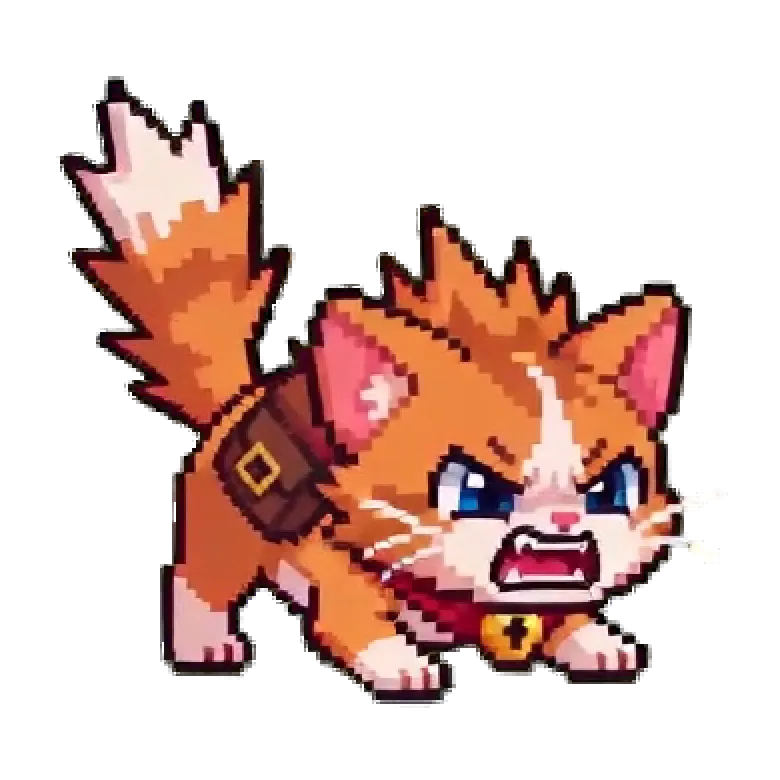
The same frame before (green screen with shadow) and after the chroma key (transparent)

◀ Drag to compare ▶◀ Arraste para comparar ▶

PreviewPrévia
See the cut-out before any file is written.Veja o recorte antes de gerar qualquer arquivo.

02 · AlignmentAlinhamento

Sprites that don't jitterSprites que não tremem

Every frame shares one crop box and one anchor, computed across the whole animation, so the character stays planted when the animation plays in-game.Todos os frames usam o mesmo recorte e a mesma âncora, calculados sobre a animação inteira. Assim o personagem fica firme no lugar quando a animação roda no jogo.

  • Frame sizes of 128, 256, 512 or custom.Frames de 128, 256, 512 ou tamanho personalizado.
  • Bottom Center origin by default, plus center, top, sides or custom.Origem Bottom Center por padrão, além de centro, topo, laterais ou personalizada.
  • Drawing mode with smooth resizing, or Pixel art mode with crisp pixels and no semi-transparent edges.Modo Desenho, com redimensionamento suave, ou Pixel art, com pixels nítidos e sem bordas semitransparentes.
  • Adjustable padding around the character.Padding ajustável em volta do personagem.
Sprite Kitchen Studio — 2 Chroma e alinhamento

03 · ReviewRevisão

It finds the bad frames for youEle encontra os frames ruins pra você

After processing, the smart analysis walks through the animation and flags what needs a look. Nothing is deleted without your say-so.Depois do processamento, a análise inteligente percorre a animação e marca o que merece atenção. Nada é apagado sem a sua confirmação.

  • Discardable: empty or near-duplicate frames.Descartáveis: frames vazios ou praticamente duplicados.
  • Review: likely blur, character cut off at the edge, or an abrupt jump.Revisar: possível desfoque, personagem cortado na borda ou salto brusco.
  • Suggested loop: compares start and end poses and picks the smoothest range.Loop sugerido: compara as poses do início e do fim e indica o trecho mais contínuo.
  • Frame editor: delete, duplicate, reorder, per-frame duration, Ctrl+Z / Ctrl+Y and a live animated preview.Editor de frames: excluir, duplicar, reordenar, duração por frame, Ctrl+Z / Ctrl+Y e prévia animada.
Sprite Kitchen Studio — 3 Frames e animação
Five duplicate frames found and selected, plus a high-confidence loop suggestion.Cinco frames duplicados encontrados e selecionados, e um loop sugerido com confiança alta.

04 · ExportExportar

Drag into GameMaker. Done.Arraste para o GameMaker. Pronto.

The main file carries the frame count in its name. Drop spr_gato_bravo_strip33.png into GameMaker and the _strip33 suffix makes the editor split it into 33 frames on its own.O arquivo principal leva a quantidade de frames no nome. Arraste spr_gato_bravo_strip33.png para o GameMaker e o sufixo _strip33 faz o editor dividir a imagem em 33 quadros sozinho.

_stripNHorizontal strip, split automatically by GameMaker.Tira horizontal, dividida automaticamente pelo GameMaker.
PNGIndividual transparent frames for any engine.Frames individuais com transparência, para qualquer engine.
GridGrid sheet with the column count you choose.Sprite sheet em grade, com as colunas que você escolher.
GIFLooping animated GIF that keeps each frame's duration.GIF animado em loop, com a duração de cada frame.
Sprite Kitchen Studio — 4 Exportar
First ten frames of the exported strip, transparent background
spr_gato_bravo_strip33.png10 / 33 →

Also in the boxTambém na caixa

Your files, your machineSeus arquivos, sua máquina

ProjectsProjetos

Several animations per character — idle, run, attack — saved together as a .spriteproject.Várias animações por personagem, como parado, correndo e atacando, salvas juntas em um .spriteproject.

Original untouchedVídeo intacto

Your source video is never modified; frames are copied to a cache and every change rebuilds from them.O vídeo original nunca é alterado: os frames vão para um cache e cada ajuste é refeito a partir deles.

Fully offline100% offline

No uploads, no account, no internet. Everything is processed on your computer.Sem upload, sem conta e sem internet. Tudo é processado no seu computador.

Stays responsiveSem travar

Processing and previews run in the background, so you can keep browsing tabs and the video while it works.Processamento e prévias rodam em segundo plano: dá para navegar pelas abas e pelo vídeo enquanto ele trabalha.

Hints

Recording (or generating) the clipPara gravar (ou gerar) o vídeo

A few habits that make the key come out clean on the first try.Alguns cuidados que deixam o recorte limpo logo de primeira.

Use a solid background in a colour your character doesn't wear: green, blue or magenta.Use um fundo sólido de uma cor que o personagem não tenha: verde, azul ou magenta.

Keep the whole character in frame and the camera still; the analysis warns when a frame is cut off.Mantenha o personagem inteiro no quadro e a câmera parada; a análise avisa quando um frame sai cortado.

A floor shadow is fine: it comes off with the background. Untick the option if you want to keep it.Sombra no chão não é problema: ela sai junto com o fundo. Desmarque a opção se quiser mantê-la.

Trim to one motion cycle; the suggested loop points out where it repeats.Recorte um ciclo do movimento; o loop sugerido mostra onde ele se repete.

FAQ

Questions from the counterPerguntas do balcão

Do I need internet or an account?Preciso de internet ou de uma conta?
No. Everything is processed locally and no video ever leaves your computer.Não. Todo o processamento é local e nenhum vídeo sai do seu computador.
Does it work on white or black backgrounds?Funciona com fundo branco ou preto?
Yes. On white, grey or black backgrounds only the background connected to the frame edges is removed, so white or black parts of the character (eyes, outlines) stay. Coloured backgrounds give the cleanest result.Sim. Em fundos branco, cinza ou preto, só o fundo ligado às bordas do quadro é removido, preservando partes brancas ou pretas do personagem, como olhos e contornos. Fundos coloridos dão o resultado mais limpo.
What if my character has the background colour?E se o personagem tiver a cor do fundo?
Turn on Preservar a cor do fundo dentro do personagem (keep the background colour inside the character): only background touching the frame edges is removed. Even better, generate the clip on a colour the character doesn't use.Marque Preservar a cor do fundo dentro do personagem: só o fundo que encosta nas bordas do quadro é removido. Melhor ainda: gere o vídeo com uma cor de fundo que o personagem não usa.
Is it only for GameMaker?Serve só para o GameMaker?
No. Transparent PNG frames, grid sheets and GIFs work in any engine or editor. Only the automatic split of _stripN files is a GameMaker feature.Não. Frames PNG com transparência, grid e GIF funcionam em qualquer engine ou editor. Só a divisão automática dos arquivos _stripN é um recurso do GameMaker.
Which video formats can I open?Quais formatos de vídeo posso abrir?
MP4, MOV, AVI, WEBM and GIF.MP4, MOV, AVI, WEBM e GIF.
What language is the app in?Em que idioma está o app?
The interface is in Brazilian Portuguese, and it runs on Windows.A interface está em português, e o app roda no Windows.
INSERT COIN

Ready to cook some sprites?Pronto para cozinhar seus sprites?

Sprite Kitchen Studio is getting its Windows installer. Meanwhile, the kitchen is full of tutorials and sprite packs.O Sprite Kitchen Studio está ganhando seu instalador para Windows. Enquanto isso, a cozinha está cheia de tutoriais e sprite packs.

Download · WindowsDownload · WindowsSoonEm breveBack to Sprite KitchenVoltar ao Sprite Kitchen